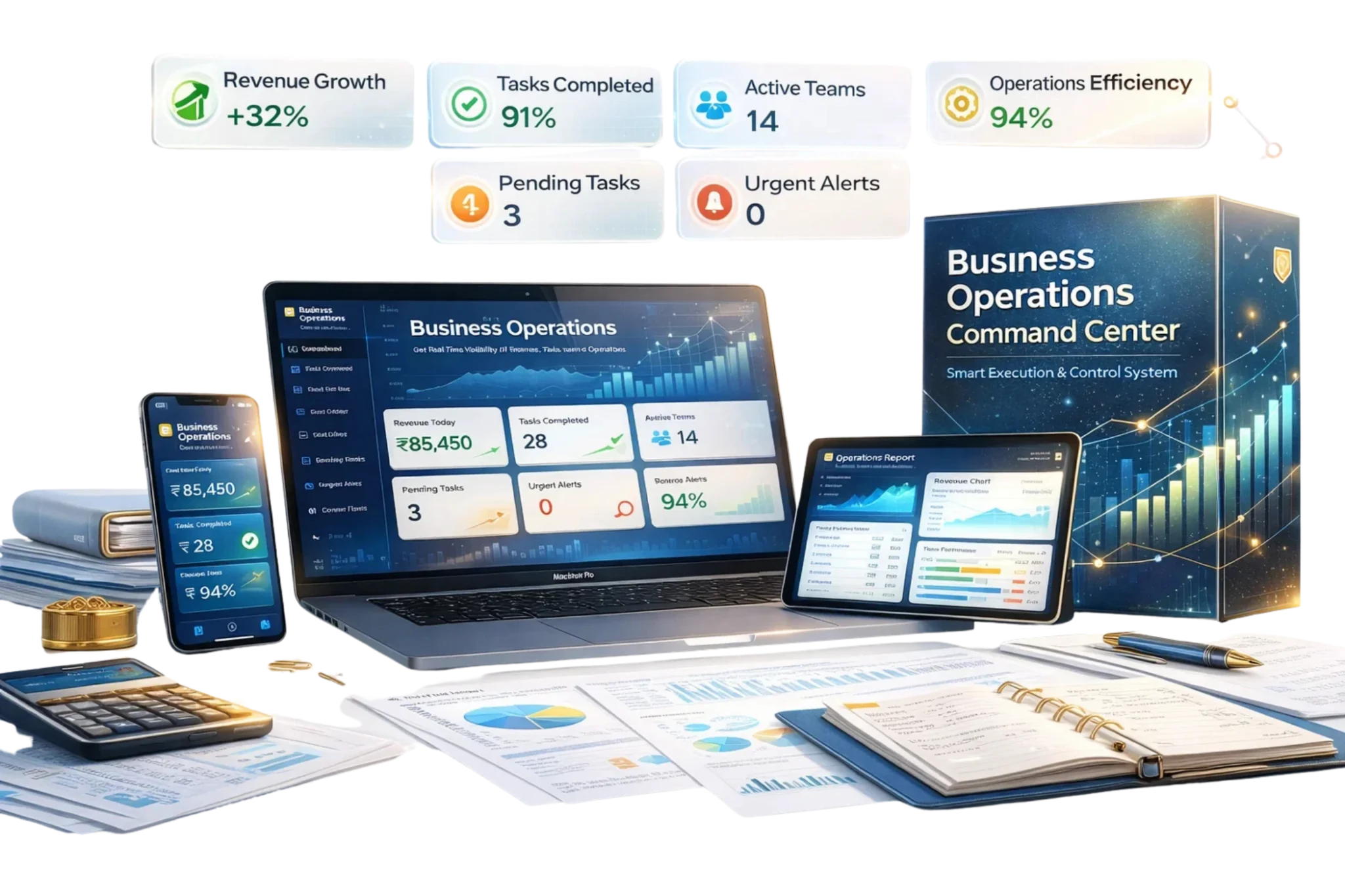
Business Operations Command Center
Original price was: ₹5,000.00.₹1,190.00Current price is: ₹1,190.00.
Product Type: B2B Business Software
Purchase Model: One-Time Purchase
Recurring Billing: No
Automatic Renewal: No
Delivery: Digital software access
Access Method: Software access/account/login instructions will be provided through the registered email address and/or customer account, as applicable.
Delivery Time: Within 1 hour after successful payment confirmation.
Physical Shipping: Not applicable
Price: The displayed payable price is inclusive of applicable taxes.
Cancellation & Refund: Subject to our Refund & Cancellation Policy.
Support: [email protected]
Designed for business owners, CEOs, executives, operations managers, department heads, finance teams, HR teams, project managers and growing businesses, Business Operations Command Center provides software tools for business performance monitoring, financial visibility, operations management, workforce tracking, project coordination, contracts, invoicing and payment monitoring.
Description
Business Operations Command Center is a B2B business-management software designed to help businesses organize, monitor and review important operational and management information from one centralized system.
The software supports KPI monitoring, executive reporting, financial tracking, budgeting, project management, issue tracking, workforce productivity, HR information, contract management, receivables, payables and invoice monitoring.
Core Software Modules
1. KPI Business Dashboard
Monitor important business performance indicators and maintain structured visibility across key business activities.
2. Executive Dashboard
Review finance, operations and business-performance information from a centralized executive view.
3. Operational Executive Dashboard
Monitor operational activities and organize management-level operational information.
4. Financial Dashboard
Review financial performance, costs, liquidity and other important financial information.
5. Business Performance Dashboard
Monitor key business-performance indicators, target progress and operational results.
6. Advanced Financial Management
Organize important financial indicators and support structured management-level financial review.
7. Accounts Receivable Dashboard
Track outstanding customer invoices and monitor receivable information.
8. Accounts Payable Dashboard
Organize vendor-payment obligations and monitor payable information.
9. Cash Flow Dashboard
Monitor cash inflows, outflows and liquidity-related business information.
10. Business Performance Summary
Review important business-performance, cost and financial information in one structured view.
11. Income & Expense Management
Organize business income and expense information and monitor cash movement.
12. Annual Budget Tracker
Create and monitor annual budget targets and business financial plans.
13. Project Task Management
Organize projects, tasks, responsibilities and operational activities.
14. Issue Tracker
Record and monitor open and closed business issues requiring attention or resolution.
15. Time Tracking Dashboard
Monitor workforce-hour information and time-related operational activity.
16. Productivity Dashboard
Review productivity information across employees, teams or departments.
17. HR Dashboard
Organize workforce information, staffing indicators and HR-related operational data.
18. Contract Management Dashboard
Maintain organized contract information and monitor important agreement details.
19. Client Payment Tracker
Monitor outstanding customer payments and receivable status.
20. Invoice Tracker
Organize invoices, payment status and billing-cycle information.
Key Benefits
Business Operations Command Center helps businesses:
- Centralize important management information
- Monitor KPIs and business performance
- Review financial and operational activity
- Track receivables and payables
- Monitor cash flow and budgets
- Organize projects and tasks
- Track operational issues
- Monitor workforce productivity
- Maintain HR information
- Organize contracts
- Track customer payments
- Monitor invoices and billing activity
- Improve visibility across business operations
How to Access
- Complete your purchase through Gedgetsworld.in.
- Receive software-access instructions at your registered email address.
- Complete any required account setup.
- Log in to your Business Operations Command Center account.
- Add business, financial, operational and workforce information.
- Start using the software to monitor and manage your operations.
Workflow: Purchase → Payment Confirmation → Access Email → Account/Login → Software Dashboard → Start Managing Operations
After successful payment confirmation, software-access instructions are sent to the email address provided during purchase.
Intended Users
Business Operations Command Center is suitable for:
- Business Owners
- CEOs
- Executives
- Operations Managers
- Department Heads
- Finance Teams
- HR Teams
- Project Managers
- Business Managers
- Growing Businesses
Use Case Examples
| Profession | How It Helps |
|---|---|
| Business Owners | Review operational, financial, workforce and business-performance information. |
| CEOs & Executives | Monitor important management indicators and executive-level business information. |
| Operations Managers | Track operational activity, projects, issues and productivity. |
| Finance Teams | Monitor income, expenses, cash flow, receivables, payables and budgets. |
| HR Teams | Organize workforce and HR-related operational information. |
| Project Managers | Organize tasks, projects and operational responsibilities. |
| Growing Businesses | Centralize important business-management information in one system. |
Result
Business Operations Command Center helps businesses create a more structured management process by bringing KPI monitoring, executive visibility, financial tracking, budgeting, project tasks, issue management, workforce productivity, HR information, contracts, payments and invoice monitoring into one centralized software system.
Reviews
There are no reviews yet.