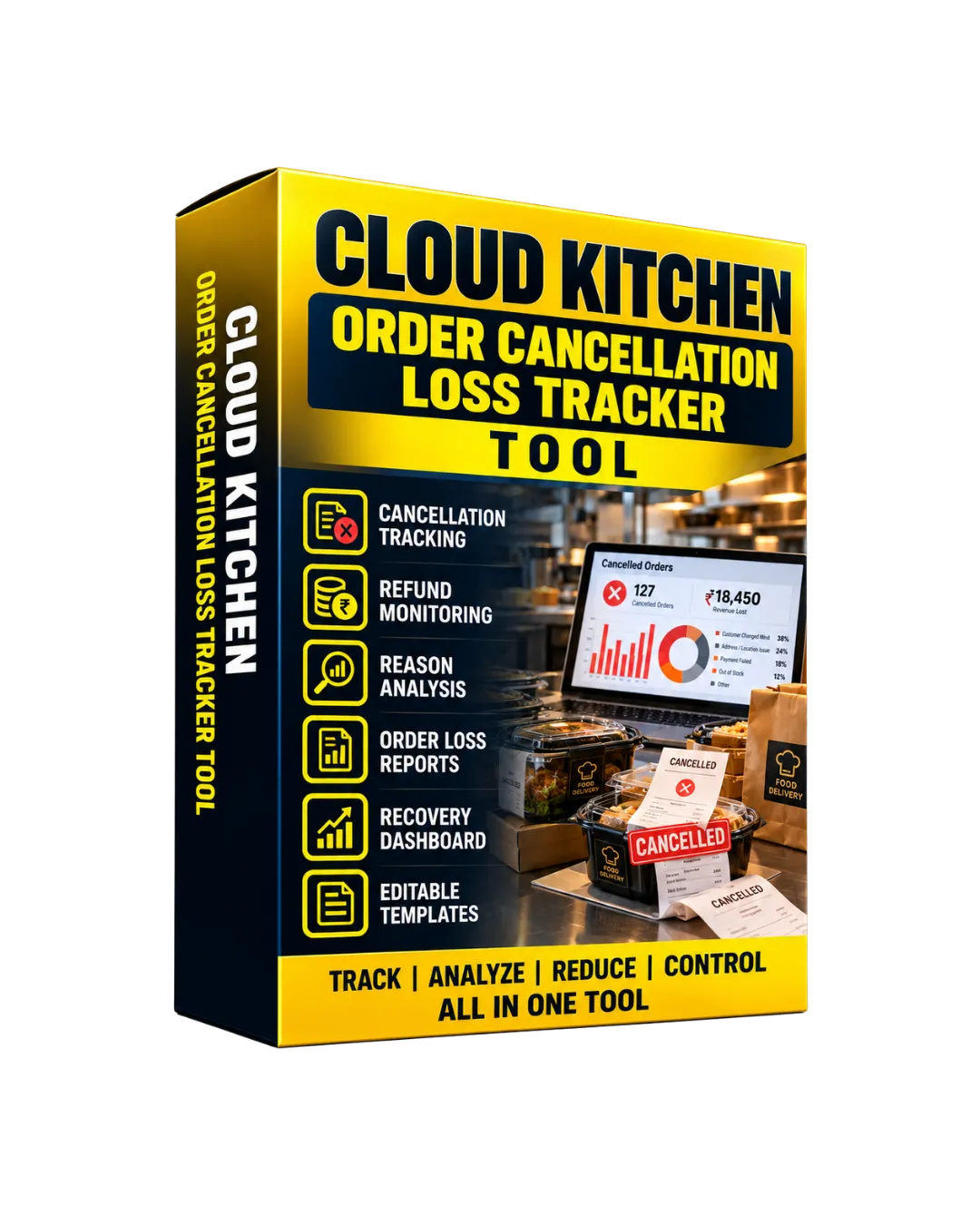
Cloud Kitchen Order Cancellation Loss Tracker
Original price was: ₹3,000.00.₹299.00Current price is: ₹299.00.
Description
Order cancellations can create hidden costs for a cloud kitchen. Even when an order is cancelled, the kitchen may already have incurred food preparation costs, ingredient usage, packaging costs, platform charges, delivery-related expenses, or other operational costs.
The Cloud Kitchen Order Cancellation Loss Tracker is designed to help cloud kitchen owners and finance teams record cancelled orders, identify the associated costs, analyze cancellation reasons, and monitor the potential financial impact of cancellations.
As a focused bump for your Cloud Kitchen Costing, Orders & Operations Control Toolkit, it adds a dedicated layer for tracking cancellation-related costs and operational exceptions.
📋 What’s Inside the Tracker
1️⃣ Cancellation Register
- Record order number, order date, customer, channel, menu items, order value, and cancellation status.
- Maintain a centralized history of cancelled orders.
2️⃣ Cancellation Reason Analysis
- Categorize cancellations by customer, kitchen, platform, payment, delivery, stock, or other recorded reasons.
- Review recurring cancellation patterns.
3️⃣ Food & Preparation Cost Tracker
- Record estimated food cost, ingredients already consumed, preparation cost, and other applicable kitchen costs.
- Review costs incurred before an order was cancelled.
4️⃣ Packaging & Delivery Cost Control
- Track packaging costs, delivery-related expenses, platform charges, and other cancellation-associated costs.
- Include applicable costs in the cancellation analysis.
5️⃣ Cancellation Loss Calculator
- Compare order value with recorded recoverable and non-recoverable costs.
- Calculate the estimated cancellation-related loss based on entered data.
6️⃣ Recovery & Adjustment Tracker
- Record recoverable amounts, refunds, platform adjustments, customer charges, and other recoveries.
- Monitor the remaining unrecovered amount.
7️⃣ Cancellation Follow-Up Control
- Track cancellation-related issues, responsible owners, follow-up dates, remarks, and resolution status.
- Keep unresolved cases visible.
8️⃣ Cancellation Loss Dashboard
- Review cancelled orders, cancellation value, estimated losses, recoveries, unrecovered amounts, and cancellation trends.
- Maintain a centralized view of cancellation-related financial impact.
⭐ Why It’s Perfect for You
✅ Cloud Kitchen Owners — Understand the financial impact associated with cancelled orders.
✅ Finance Teams — Track cancellation costs, recoveries, adjustments, and unrecovered amounts.
✅ Kitchen Managers — Identify recurring operational reasons behind cancellations.
✅ Multi-Platform Cloud Kitchens — Compare cancellation activity across different ordering channels.
🧠 How to Use
Step 1 — Record Cancelled Orders
Add the order number, date, customer, ordering channel, items, order value, and cancellation information.
Step 2 — Select the Cancellation Reason
Record the applicable reason so cancellation patterns can be reviewed later.
Step 3 — Record Costs Already Incurred
Add food, ingredient, preparation, packaging, delivery, platform, and other applicable costs.
Step 4 — Calculate the Estimated Loss
Review the recorded costs, recoverable amounts, and unrecovered amount associated with the cancellation.
Step 5 — Record Recoveries & Adjustments
Maintain information about refunds, customer charges, platform adjustments, credits, or other recoveries.
Step 6 — Manage Follow-Ups
Assign unresolved cancellation cases to the appropriate owner and maintain follow-up information.
Step 7 — Analyze Cancellation Patterns
Review cancellation reasons, order values, costs, and loss information to identify recurring areas requiring attention.
Step 8 — Review the Dashboard
Use the dashboard to monitor cancellation volume, financial impact, recovery activity, and outstanding losses.
📦 Included Modules
- Cancellation Register
- Cancellation Reason Analysis
- Food & Preparation Cost Tracker
- Packaging & Delivery Cost Control
- Cancellation Loss Calculator
- Recovery & Adjustment Tracker
- Cancellation Follow-Up Control
- Cancellation Loss Dashboard
- Settings & Master Lists
👥 Use Case Examples
| Profession | How It Helps |
|---|---|
| Cloud Kitchen Owners | Monitor cancelled orders and understand their recorded financial impact. |
| Kitchen Managers | Identify recurring cancellation reasons and related operational issues. |
| Finance Teams | Track cancellation costs, recoveries, adjustments, and unrecovered amounts. |
| Virtual Restaurant Operators | Compare cancellation activity across ordering channels and brands. |
| Accounts Teams | Maintain structured records of refunds, adjustments, and recoverable amounts. |
| Growing Cloud Kitchens | Build a centralized record of cancellation activity and associated costs. |
🚀 Result
The Cloud Kitchen Order Cancellation Loss Tracker helps bring cancelled orders, cancellation reasons, incurred costs, recoveries, adjustments, and estimated financial impact into one organized workspace.
Used alongside your Cloud Kitchen Costing, Orders & Operations Control Toolkit, it adds a focused control layer for understanding what happens financially when an order is cancelled and which cancellation-related areas may require management attention.
🍽️ Track Every Cancellation. Measure the Cost. Understand Your Kitchen’s Loss Exposure. 📊
Reviews
There are no reviews yet.